Don't miss
- Nokia’s went with Windows Phone to survive, avoid Samsung Check out now!
- Nokia Lumia 1020 Rolling Out SoonCheck out now!
- HP Slate 7 vs Google Nexus 7Check out now!
- How To Root Sony Xperia ZCheck out now!
- Samsung Galaxy S5 universal root method is here for all variantsCheck out now!
- Pebble Android App can now connect devices even without InternetCheck out now!
- LG G3 exposed in leaked photosCheck out now!
- HTC One M8 variants can also get the Harman Kardon effectCheck out now!
Run Android on your computer
Some times you need to try apps before installing them on your phones, or you don't have an android phone but you want to play Android games, so you are in the right way to do what you want :D
The are four ways to run android on your computer :
1# BlueStacks

It's the best way to run andoid system on your phone. It workes inside your system (windows or linux) so you can use it without worry ;)
From here: Download BlueStacks
2# Officiel Android Emulator

It's like the BlueStacks the one only difference is that this one's from google ( part of ANDROID SDK ).
From here : Android emulator
3# Android-x86

From here: Android x86
4# Android on Intel Architecture

This is a good way from intel, you can install android beside your windows 8 or 7 if you have an Intel prossesor.
From here : Android on Intel
If you have any question please comment.
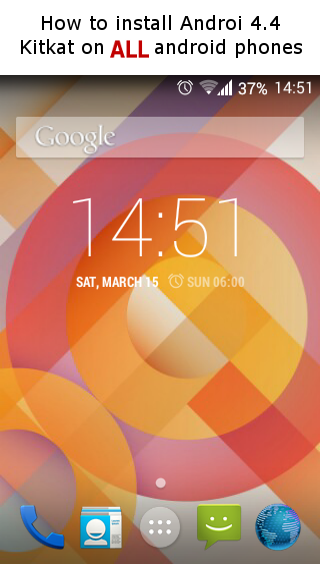
How to install Android Kitkat 4.4 on ALL! android Phones
Many of you've wished that he can install kitkat on his phone, with this tutorial you will be able to install not just Kitkat but all android versions that you want!!

So, we start by what we need first:
Note : We are not responsible any damage, please note that you've to follow steps carefully :D
1- Rom manager
Download from here:
If you don't have ClockworkMod Recovery see how to install it from here :
3- If you finish installing CWM continue to this step if not please install it first.
Do a backup to your contacts, Sms, files, apps and ROM
Note : you can backup your Rom via CWM, just open ROM manager and choose reboot on recovery mode than choose Dackup All [first picture]
4- After this step all will be deleated!
Download Cyanogenmod [ you have to download your phone's version ]
Cyanogenmod 11 --------> Android Kitkat 4.4.x
Cyanogenmod 10 --------> Android JellyBeans 4.0.x
Cyanogenmod 9 --------> Android 4.0.x
Cyanogenmod 7 --------> Android 2.3.x
.....ext
Download from here:
Note : if you don't found your phone's version of Cyanogenmod just research on google it's easy to find one :D
5-Download Google apps package
Than download google apps package that's match to cyanogenmod version you've choosed
6- Copy both Cyanogenmod and gapps *zip packages to SD memory card
7- Installing Cyanogenmod
1-Reboot your phone on recovery mode using Rom manager
2-When you enter to CWM screen:
- choose wipe data factory
- choose Yes
- Return to main menu
- Choose Advanced
- wipe dalvik cache
- Than wipe Battery stats
- Return
- choose zip from SD card
- choose cm-xx [cyanogenmod zip file] and choose install
- than choose zip from SD again and this time install gapps zip file
- return back to home screen and choose wipe cache partition
1-Reboot your phone on recovery mode using Rom manager
2-When you enter to CWM screen:
- choose wipe data factory
- choose Yes
- Return to main menu
- Choose Advanced
- wipe dalvik cache
- Than wipe Battery stats
- Return
- choose zip from SD card
- choose cm-xx [cyanogenmod zip file] and choose install
- than choose zip from SD again and this time install gapps zip file
- return back to home screen and choose wipe cache partition
- Choose Reboot .
[you can see this step as a video from here: VIDEO]
* CWM = ClockworkMod
8- DONE! congratulations Cyanogenmod is now instaled on your phone :D
9- If you want to install kitkat download cyanogenmod 11
Hidden Secret Codes
Hidden Secret Codes for Android devices

*#*#4636#*#*
Phone & battery informations.
Battery history.
Statistics of your usage.
Wifi informations.
*#*#7780#*#*
For factory data reset.
Note : this code will remove witch is related to your phone and not to your SD card.
*2767*3855#
This code is also for reset but this time it'll delete even your phone farmware, it'll do a hard reset if you want.
*#*#34971539#*#*
This code is used to give you informations about your camera.
*#*#7594#*#*
This is one of the most usefull codes, it can help you choose ' End call / Power' Button's work.
For example if you want to shot down your phone once you hold your End call button you can make this chose using that code.
*#*#273283*255*663282*#*#*
This code can help you make a backup for your media files.
*#*#197328640#*#*
This code helps you manage your media service.
WLAN test:
*#*#526#*#*
*#*#528#*#*
Wifi Mac adress:
*#*#232338#*#*
GPS test:
*#*#1472365#*#*
*#*#1575#*#*
*#*#232331#*#*
*#*#232337#*#
*#*#0289#*#*
*#*#2664#*#*
*#*#1575#*#*
Bluetooth test
*#*#232337#*#
Different tests:
LCD:
*#*#0*#*#*
Melody:
*#*#0673#*#**#*#0289#*#*
Vibration..
*#*#0842#*#*
Touch screen:
*#*#2663#*#**#*#2664#*#*
Directions Sensor:
*#*#0588#*#*
RAM:
*#*#3264#*#*
VISIT OUR FACEBOOK PAGE : https://www.facebook.com/androcityaufus
Apps sender
SEND YOUR APPS FROM COMPUTER TO MOBLE VIA
Hey Guys After a long work We've broght you some
good news :p
Now you can download apks to your phonr from andro-city using your
computer!
HOW!! : you can SEND them to your phone via email with
this new TOOL :
From here: http://andro-city.bl.ee
Good luck :)
Android versions
Android versions
1. Android 1.0 [2008]
2. Android 1.1 [Feb 2009]
3. Android 1.5 Cupcake [April 2009]
4.Android 1.6 Donut [Sep. 2009]
5. Android 2.0/2.1 Éclair [Oct. 2009]
6. Android 2.2 FroYo [May 2010]
7.Android 2.3 Gingerbread [Dec. 2010]
8. Android 3.0 Honeycomb [Feb. 2011]
9. Android 4.0 Ice Cream Sandwich [Oct. 2011]
10. Android 4.1 Jelly Bean [July 2012]
11.Android 4.4 KitKat [Oct 2013]
12-What's next!
Subscribe to:
Comments (Atom)
Popular posts
-
Many of you've wished that he can install kitkat on his phone, with this tutorial you will be able to install not just Kitkat but all a...
-
Virtua Tennis Challenge v4.5.4 1-Quick match mode. 2- Fast challenges. 3- Exhibition match. 4- Mult...
-
ODROID C1 This is a small computer for developpers and robot creators it's somehow like a raspberry pi and an arduino but...
-
Bruce Lee Dragon Warrior v1.14.18 Supported sys: Android 2.1 & 2.3 .. Instructions: 1- Install 2- launch the game ...
-
Takken 6 for andoid devices. Screenshots: Download from here: Apk (PSP Emulator): Note: You can ...
-
Of course a lot of you've searched every where for their phone root but they did not find anything! That w...